
0.0 Executive Summary
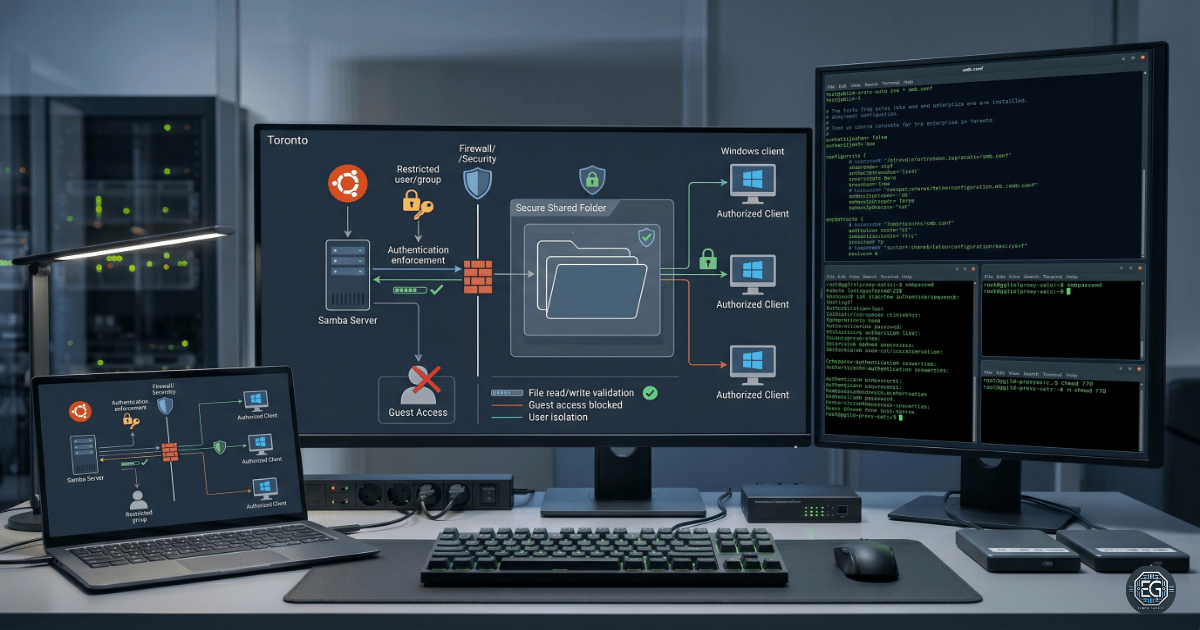
This report documents the deployment, configuration, and validation of a Samba file-sharing service on an Ubuntu Linux. The goal was to provide secure file-sharing access for Windows clients, while maintaining strict permission boundaries and user isolation.
The implementation included the installation of Samba services, creation of a dedicated non-interactive service account, configuration of restricted directory permissions, and enforcement of authenticated access through the Samba configuration file.
Testing confirmed that authorized users could successfully access and modify shared files, whereas unauthorized and guest connections were blocked. The result is a secure and repeatable cross-platform file-sharing solution that is suitable for enterprise environments.
1.0 Samba File Sharing Deployment
1.1 Project Description
The goal of this task was to develop practical skills in cross-platform file sharing by deploying and validating a secure Samba server on a Linux machine.
This implementation demonstrates the following:
- Samba Deployment: Install and configure Samba services.
- Account Hardening: Create restricted service accounts with disabled shell access.
- Access Control Enforcement: Restrict file-sharing access to approved users and groups.
- Permission Management: Align Samba share permissions with Linux file system controls.
1.2 Technical Execution
1.2.1 Installation and Account Provisioning
- Service Installation:Samba was installed, and
/etc/samba/smb.confwas verified. - Restricted Account Creation: A dedicated
smbuseraccount was created with/sbin/nologinto block shell access. - Credential Registration: The account was added to the Samba authentication database using
smbpasswd.
1.2.2 Directory and Share Configuration
- Directory Creation: Created a shared directory at
/home/smbuser/shared. - Permission Assignment: Applied
770permissions to restrict access to approved users and groups. - Configuration Update: Added the custom share definition to
/etc/samba/smb.conf.
# Example Samba share definition
[SecureShare]
   path = /home/smbuser/shared
   valid users = @smbgroup
   guest ok = no
   writable = yes
   browsable = yes
Key Insight
Samba share permissions depend on both the Samba configuration settings and the underlying Linux filesystem permissions. Even when writable = yes is enabled, write operations fail if the Linux directory permissions do not allow access for the authenticated user context.
1.3 Validation and Testing
Validation confirmed authentication, connectivity, and permission enforcement.
- Connectivity Verification:
pingwas used to verify layer-3 network connectivity. - Service Verification: Confirmed that
smbdwas active and listening on the correct ports. - Authentication Testing: Guest access and invalid credentials were rejected.
- Read/Write Validation: Authenticated with
smbuserand confirmed file creation and modification.
1.4 Troubleshooting Highlights
Configuration Filename Error
A typographical mistake (.cof instead of .conf) prevented the configuration changes from loading correctly. This was resolved by correcting the file name and validating the paths.
Automation Block Errors
Heredoc formatting inconsistencies cause configuration append failures. This was resolved by verifying the matching opening and closing delimiters.
Tool Mapping
| Function | Native Command / Path | Verification Indicator |
|---|---|---|
| Credential Management | sudo smbpasswd -a smbuser |
Adds user to Samba database |
| Service Configuration | /etc/samba/smb.conf |
Defines share permissions |
| Connectivity Testing | ping |
Confirms network connectivity |
| Service Control | sudo systemctl restart smbd |
Applies configuration changes |
2.0 CONCLUSION
2.1 Key Takeaways
- Samba enables secure file sharing between Linux and Windows systems.
- File-share security relies on both Samba settings and Linux permissions.
- Service accounts should use non-interactive shells to reduce the attack surface.
- Verify network connectivity before troubleshooting application-layer services.
2.2 Security Implications and Recommendations
Risk: Unauthorized Share Access
Permissions like 777 or guest access can expose sensitive files.
Mitigation
- Require authentication on all production shares.
- Restrict shared directory permissions using least-privilege access control.
Risk: Service Account Abuse
Compromised service accounts may be used for lateral movement if shell access is granted.
Mitigation
- Assign
/sbin/nologinto the service accounts. - Use dedicated Samba credentials that are separate from standard user authentication.
Best Practices
- Validate the configuration files before restarting the services.
- Restrict file-sharing traffic to the approved network segments.
- Use change management when modifying production configurations.
Framework Alignment
- NIST CSF (PR.AC): Identity management and access control.
- CIS Control 3: Data protection and restricted resource access.
- ISO 27001 Annex A: Secure access management and service hardening.