
0.0 Executive Summary
This report documents the use of Tmux in an Ubuntu Server environment to manage persistent terminal sessions and multi-pane workspaces. The goal of this project was to improve terminal organization and support multiple monitoring tasks within a single terminal. The lab focused on creating sessions, splitting panes, detaching from active workspaces, and reconnecting without losing the running processes.
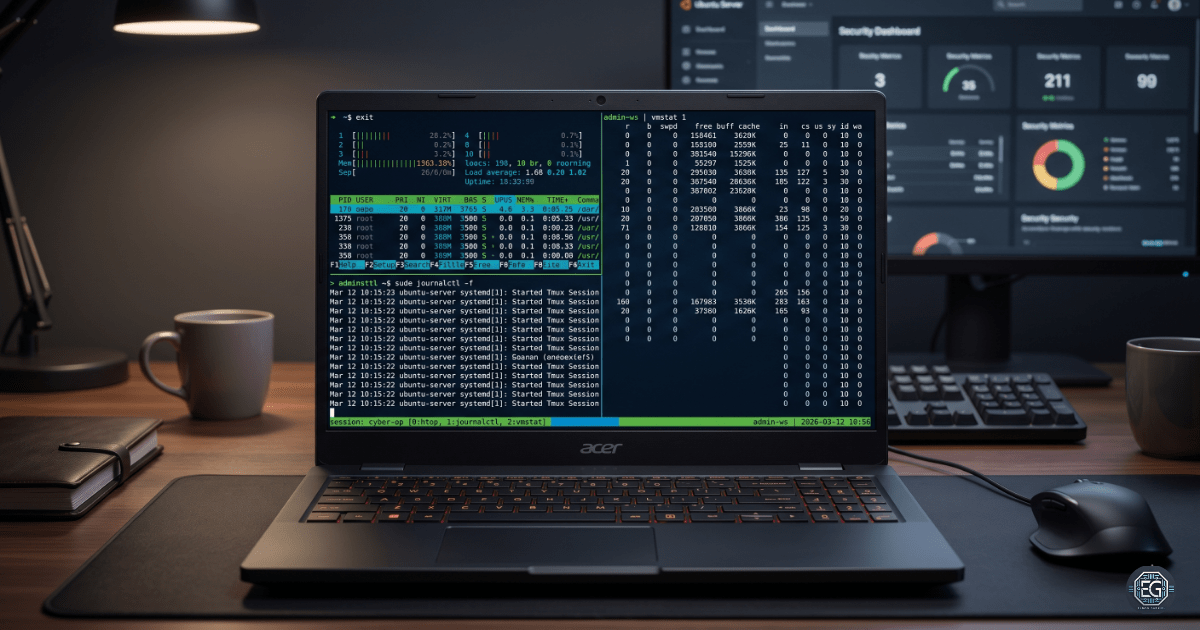
The final result was a working 3-pane monitoring setup running system tools simultaneously. This setup improved workflow efficiency and allowed monitoring tasks to continue even after disconnection from the terminal session.
1.0 Tmux Session Management
1.1 Project Description
The purpose of this task was to learn how to manage multiple terminal sessions and panes using Tmux.
The lab focused on:
- Creating persistent terminal sessions
- Splitting a terminal into multiple panes
- Running several monitoring tools at the same time
- Detaching and reconnecting to active sessions
- Managing active and unused sessions
This workflow demonstrates how Linux administrators can organize monitoring and troubleshooting tasks within a single terminal workspace.
1.2 Technical Task / Troubleshooting Process
The project used Tmux commands and keyboard shortcuts to create and manage structured terminal environments.
Key Actions and Observations
Session Creation and Persistence
- Used
tmuxto start a new session - Used
Ctrl+b dto detach from the session while keeping processes running - Used
tmux lsto view active sessions - Used
tmux attach -t [ID]to reconnect to a running session
Pane Management
- Used
Ctrl+b %to create a vertical split - Used
Ctrl+b "to create a horizontal split - Used arrow keys with
Ctrl+bto move between panes - Built a 3-pane layout for monitoring system activity
Monitoring Tools
The following tools were run in separate panes:
htopjournalctl -fvmstat 1 5
This allows real-time monitoring of the system performance and logs from a single workspace.
Troubleshooting Highlights
Multiple Session Confusion
A second Tmux session was accidentally created after detaching it from the original session.
This issue occurred because running tmux again started a new session instead of reconnecting to the existing one.
Resolution
- Used
tmux lsto identify active sessions - Used
tmux attach -t [ID]to reconnect to the correct session - Closed unused panes and sessions using
Ctrl+b xandexit
1.3 Resolution and Validation
The Tmux environment was tested to confirm that the sessions and panes remained active after detachment.
| Parameter | Configuration Value |
|---|---|
| Primary Tool | Tmux |
| Workspace Layout | 3-Pane Split |
| Persistence Type | Detached Session |
| Purpose | Persistent Terminal Management |
Validation Steps
- Detached from the session using
Ctrl+b d - Verified the session remained active using
tmux ls - Reattached to the session using
tmux attach - Confirmed all monitoring tools were still running
- Closed panes and verified the session terminated correctly
2.0 CONCLUSION
2.1 Key Takeaways
- Tmux allows terminal sessions to continue running after disconnecting
- Pane splitting improves organization and multitasking
- Detached sessions help prevent loss of active monitoring tasks
- Session management is important for efficient Linux administration
2.2 Security Implications and Recommendations
Risk: Unauthorized Session Access
Detached sessions may allow unauthorized users to reconnect if the system is left unsecure.
Mitigation
- Close unused sessions with
exit - Restrict access to administrative accounts
- Lock or secure systems when unattended
Risk: Forgotten Background Processes
Unused detached sessions can continue to run processes and consume system resources.
Mitigation
- Regularly check active sessions using
tmux ls - Remove unnecessary sessions
- Monitor resource usage during long-running tasks
Best Practices
- Reattach to existing sessions instead of creating new ones
- Use clear session names for organization
- Keep monitoring tools grouped into dedicated panes
- Audit active sessions during troubleshooting activities
Framework Alignment
- CIS Control 12: Infrastructure monitoring and management
- NIST CSF (PR.DS): Protecting system availability and operational continuity
- Operational Security: Maintaining persistent monitoring during administrative and incident response activities