
0.0 Executive Summary
This report describes the use of the dig tool to analyze and review DNS behavior on a Linux system.
The goal was to reduce risks such as DNS spoofing, cache poisoning, and misconfiguration by checking how DNS queries are handled and how responses are returned from name servers.
The result is a stronger understanding of DNS activity. Instead of relying only on default system settings, DNS responses were actively checked for correctness, including TTL values, query IDs, and the use of TCP and UDP.
1.0 DNS Analysis with dig
1.1 Project Description
The goal of this task was to use DNS analysis techniques to avoid relying on untrusted or incorrect name resolution.
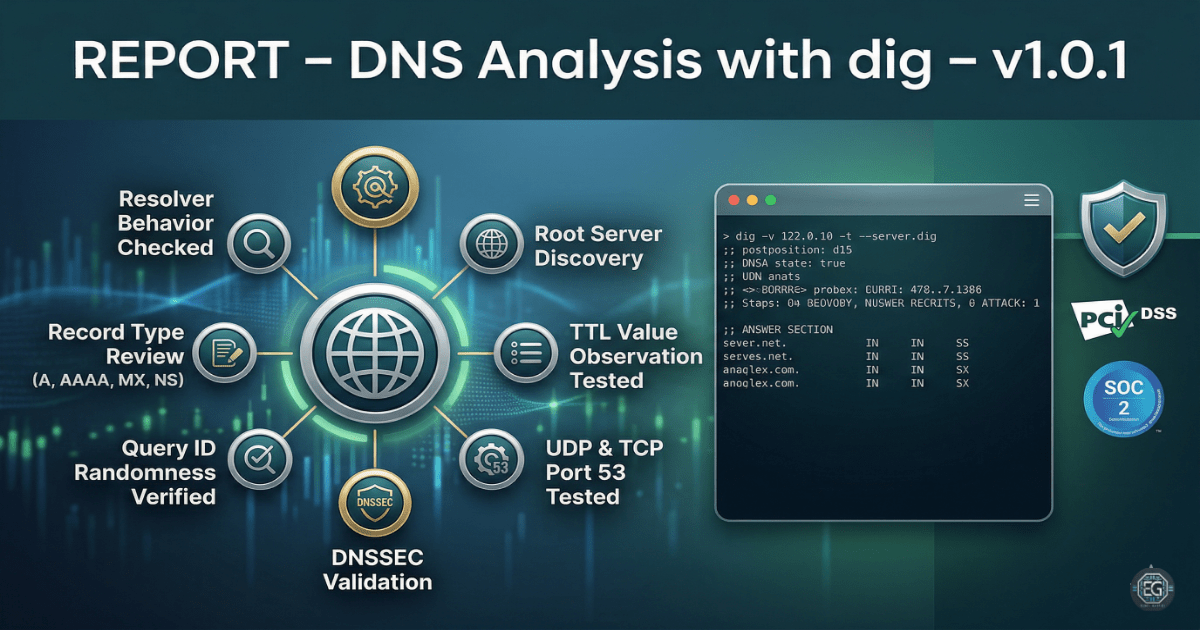
The dig tool was used to:
- Check how DNS query IDs are generated and randomized
- Identify authoritative name servers and verify their responses
- Review record types such as A, AAAA, MX, and NS
- Observe Time-To-Live (TTL) values for DNS records
These steps help ensure that important services like email delivery and website access are not affected by incorrect or malicious DNS responses.
1.2 Technical Task / Troubleshooting Process
This process focused on examining how DNS queries are resolved and identifying any weaknesses in default resolver behavior.
Key Actions & Observations
-
Checked which DNS resolver the system was using for domain lookups.
-
Performed DNS queries to gather information about root servers and domain records.
-
Tested recursive and non-recursive queries to understand resolver behavior.
-
Reviewed Query ID randomness to reduce the risk of spoofing attacks.
-
Tested DNS responses over both UDP and TCP to confirm reliability.
-
Verified support for DNSSEC where available to improve response validation.
-
Observed TTL values to understand how long records are cached.
-
Documented commands and outputs for repeatable testing and troubleshooting.
Root Cause: Default DNS configurations do not always provide visibility into how responses are handled. This can create risks if responses are not validated or if attackers attempt to inject false data. This was addressed by actively inspecting DNS queries and responses using structured testing methods.
1.3 Resolution and Validation
DNS behavior was reviewed and compared against expected secure patterns.
| Parameter | Configuration Value |
|---|---|
| Management Tool | dig (Domain Information Groper) |
| Control State | Enforced (Audit Mode) |
| Security Mode | Query ID Randomization / DNSSEC Check |
| Scope | Local Resolver and Root DNS Infrastructure |
Validation Steps
-
Queried MX records for a domain and verified that returned mail servers matched expected values.
-
Observed that repeated queries produced different Query IDs, showing proper randomness.
-
Confirmed that large DNS responses worked correctly over TCP when UDP limits were reached.
-
Ensured the system remained stable and applications continued to function normally during testing.
2.0: CONCLUSION
2.1 Key Takeaways
-
DNS responses should always be verified against authoritative sources when possible.
-
Using tools like
dighelps identify issues that are not visible through normal system behavior. -
Testing both UDP and TCP ensures DNS works correctly under different conditions.
-
Random Query IDs help reduce the risk of spoofing attacks.
2.2 Security Implications & Recommendations
Risk: DNS Spoofing and Cache Poisoning
If query IDs or other DNS elements are predictable, attackers may inject fake DNS responses.
Mitigation: Use randomized query IDs and enable DNSSEC to validate DNS data.
Risk: DNS Failures Due to Large Responses
Some DNS responses may be too large for UDP and require TCP instead.
Mitigation: Allow DNS traffic over both UDP and TCP on port 53.
Best Practices
- Limit who can change DNS settings on a system.
- Use centralized DNS configuration where possible.
- Regularly check TTL values to ensure they match system needs.
- Document DNS settings and testing procedures for repeat use and audits.
Framework Alignment
- Aligns with NIST SP 800-81 Rev. 2 for secure DNS practices
- Supports ISO 27001 controls for monitoring network activity
- Strengthens detection and protection by validating DNS behavior and reducing attack risks