
0.0 Executive Summary
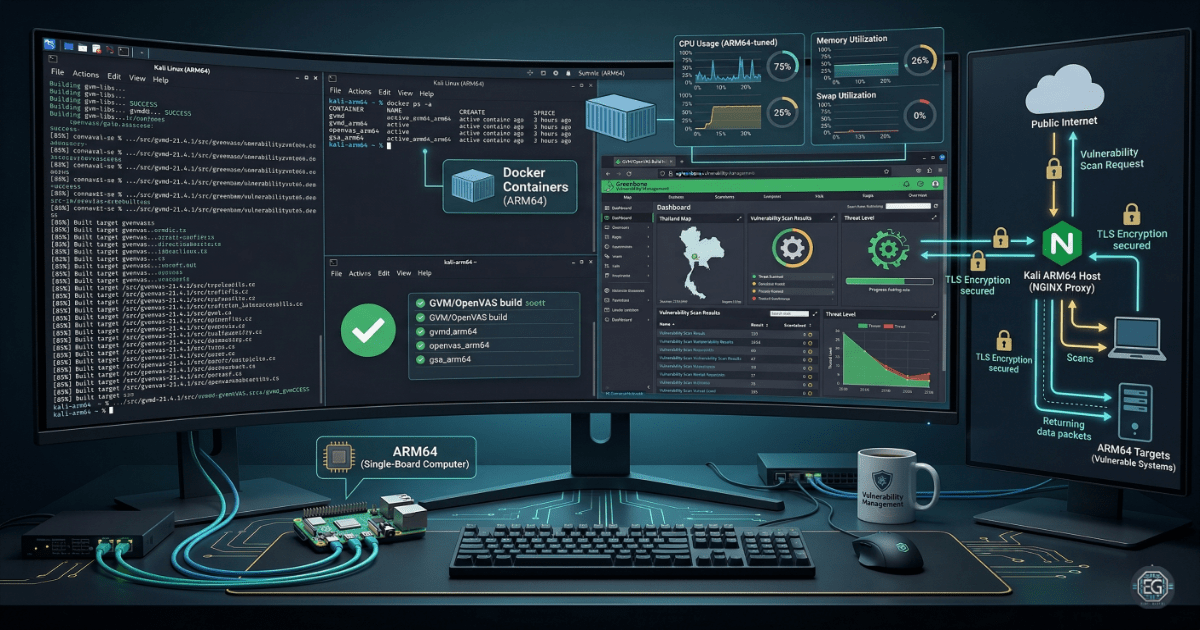
This report explains the setup and stabilization of Greenbone Vulnerability Management (GVM) on a Kali Linux ARM64 system. The goal was to build a working vulnerability scanning environment in a restricted ARM64 setup while dealing with common deployment issues such as:
- Software compatibility problems
- System memory limitations
- Container execution failures
During testing, several issues were identified, including Docker image incompatibility with ARM64 systems and system crashes caused by low available memory. These problems were resolved by adjusting system resources, using manual installation methods where needed, and applying stability-focused configuration changes.
The final result is a working GVM environment that can successfully run vulnerability scans and access the web interface reliably. The setup is now more stable, but requires careful resource management and security hardening for long-term use.
1.0 Deployment of GVM on ARM64 Kali (UTM)
1.1 Project Description
This project focused on deploying a vulnerability scanning system on ARM64 hardware using Kali Linux.
The main goal was to ensure that the system could reliably scan for security issues even with hardware and software limitations.
Key Objectives:
- Understand how GVM works in an ARM64 environment
- Identify and fix deployment issues
- Improve system stability and usability
- Secure access to the scanning interface
The system was tested in a virtual environment (UTM) to safely evaluate performance and stability.
1.2 Technical Process and Troubleshooting
The deployment process included both Docker-based installation attempts and manual setup methods.
Key Actions & Observations
-
Architecture Compatibility Issues Docker images for GVM failed on ARM64 due to x86 instruction set dependency and runtime execution errors.
-
Memory Limitations GVM services frequently crashed during updates due to Out of Memory (OOM) conditions caused by low RAM and no swap space.
-
Service Startup Problems Some services failed due to permission issues and missing system directories, requiring log analysis and manual correction.
-
Security Considerations The web interface initially ran over HTTP, exposing potential credential risk through unencrypted traffic. HTTPS via reverse proxy is recommended.
Root Cause:N The main issues were caused by running x86-based software on ARM64 hardware, insufficient system memory, and incomplete service configuration during setup.
1.3 Resolution and Validation
The system was stabilized using configuration fixes and resource improvements.
| Area | Status |
|---|---|
| System Resources | Increased (4GB RAM + swap enabled) |
| Service Stability | Stable |
| Web Interface | Accessible |
| Platform | ARM64 Kali Linux (UTM VM) |
Validation Steps
- Confirmed system compatibility and Docker functionality
- Verified GVM services start without crashing
- Confirmed web interface access via browser
- Tested stability under normal scan conditions
The system can now run vulnerability scans without immediate failure.
2.0 Conclusion
2.1 Key Takeaways
- ARM64 systems require careful software selection
- Memory usage is critical for security tools
- Docker images are not always reliable on ARM64
- Manual installation can be more stable than containers
2.2 Security Implications and Recommendations
Risk: Unstable Scanning Environment
If the system runs out of memory or crashes, vulnerability scans may be incomplete or inaccurate.
Mitigation: Ensure sufficient RAM is available and enable swap space for stability.
Risk: Unencrypted Web Access
The GVM web interface may expose login credentials if accessed over HTTP.
Mitigation: Use HTTPS with a reverse proxy such as NGINX to secure access.
Best Practices
- Validate system resources before deploying security tools
- Check Docker compatibility before using container images
- Use manual installation when container support is unreliable
- Maintain logs of deployment failures for troubleshooting
- Secure all administrative interfaces before production use
Framework Alignment
- Supports NIST PR.DS-4 (System Availability and Capacity Management)
- Supports PR.IP (Information Protection Processes and Procedures)
- Aligns with basic system hardening and secure deployment practices