
0.0 Executive Summary
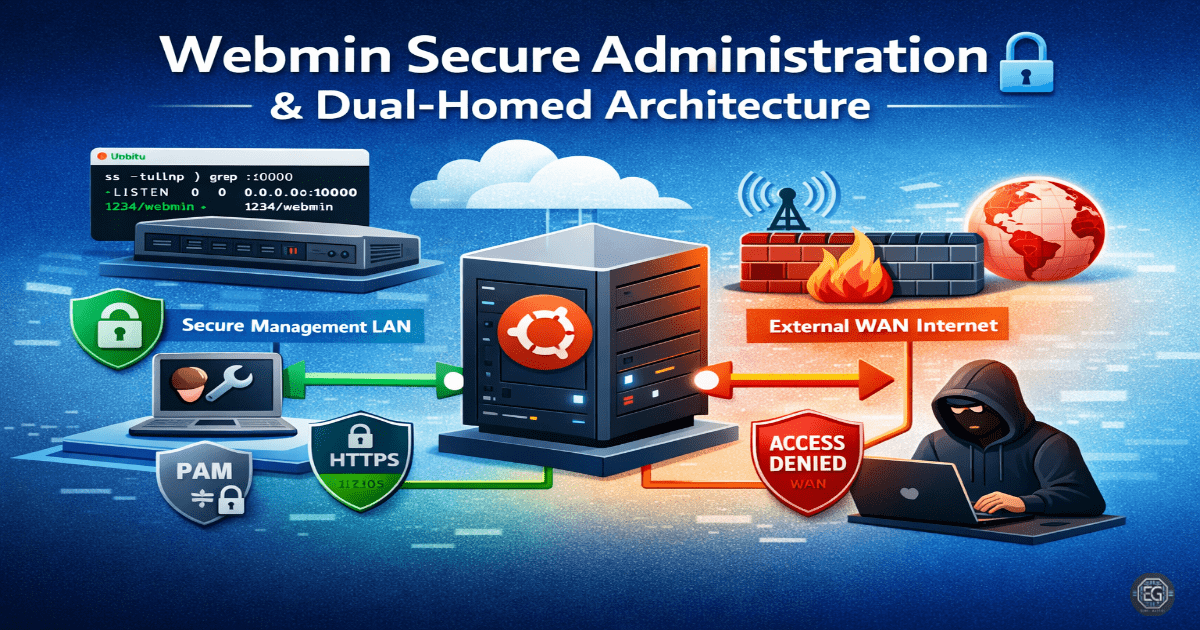
This report documents the deployment and security hardening of a Webmin administration server in a dual-homed network configuration. The project successfully established a secure management plane by mapping internal and external interfaces, enforcing PAM-based authentication, and implementing a “deny-all” firewall policy.
Key outcomes included the mitigation of CVE-2022-36446 through version control and the successful restriction of administrative access to whitelisted IP addresses. The final result provided a robust framework for managing Linux services while minimizing the attack surface exposed to untrusted networks.
1.0 Webmin Secure Administration
1.1 Project Description
The objective of this task was to configure Webmin on an Ubuntu 24.04 system with two network interfaces (Dual-Homed) to separate management traffic from general network traffic. The project aimed to replace standard Webmin authentication with Pluggable Authentication Modules (PAM) and establish a strict whitelist-only firewall policy.
The environment was designed to validate secure remote administration practices, focusing on Layer 3 interface verification and Layer 4 port security to prevent unauthorized access to the web-based management portal.
1.2 Technical Task / Troubleshooting Process
The process focused on interface mapping, service status verification, and the resolution of “Silent Lockouts” caused by automated IP blocking.
Key Actions & Observations
-
Network Mapping: Performed Layer 3 verification to ensure the server was correctly responding on both management and production subnets.
-
Service Audit: Confirmed the Webmin service was active and listening on the default port 10000/TCP using
systemctlandsscommands. -
Authentication Hardening: Reconfigured Webmin to use PAM-only login, utilizing a dedicated sudo user (
eldon) to eliminate the risk of direct root-level web logins. -
Connectivity Testing: Performed host-to-guest connectivity checks from both whitelisted and non-whitelisted IP addresses to validate firewall efficacy.
Root Cause: Initial access failures were identified as “Silent Lockouts” caused by Webmin’s built-in IP blocking triggering during firewall testing, which was resolved by resetting the authentication state.
1.3 Resolution and Validation
Administrative security was finalized by implementing a whitelist-only firewall logic and enforcing encrypted communication.
| Parameter | Configuration Value |
|---|---|
| Management Tool | Webmin (> 1.997) |
| Default Port | 10000/TCP |
| Auth Method | PAM (PAM-only mode) |
| Firewall Logic | Deny-All + Whitelist |
Validation Steps
- Access Verification: Successfully logged into the Webmin UI using PAM credentials after whitelisting the administrator’s IP.
- Firewall Test: Confirmed that connection attempts from unauthorized IP addresses were successfully blocked at the network layer.
- Module Check: Verified that critical modules (Software Packages, Linux Firewall, and File Manager) were accessible and functional under the new security constraints.
2.0: CONCLUSION
2.1 Key Takeaways
-
Interface Isolation: Utilizing a dual-homed configuration allows for the physical or logical separation of management traffic, a key tenet of secure network architecture.
-
PAM Integration: Leveraging PAM-only mode enhances security by centralizing authentication and removing the need for Webmin-specific credentials.
-
Firewall Precedence: Network-level whitelisting is the most effective defense against automated scanning and exploitation of web-based management ports.
2.2 Security Implications & Recommendations
Risk: Exploitation of Known Vulnerabilities Older versions of Webmin are susceptible to high-severity vulnerabilities like CVE-2022-36446.
Mitigation: Ensure the Webmin version is consistently maintained above 1.997 and regularly audit the /etc/webmin/miniserv.conf for unauthorized configuration changes.
Risk: Management Interface Exposure Leaving port 10000/TCP open to the public internet invites persistent brute-force attacks and zero-day exploitation attempts.
Mitigation: Implement a strict “deny-all” policy for port 10000 and only allow traffic from known, trusted administrative subnets or VPN gateways.