
0.0 Executive Summary
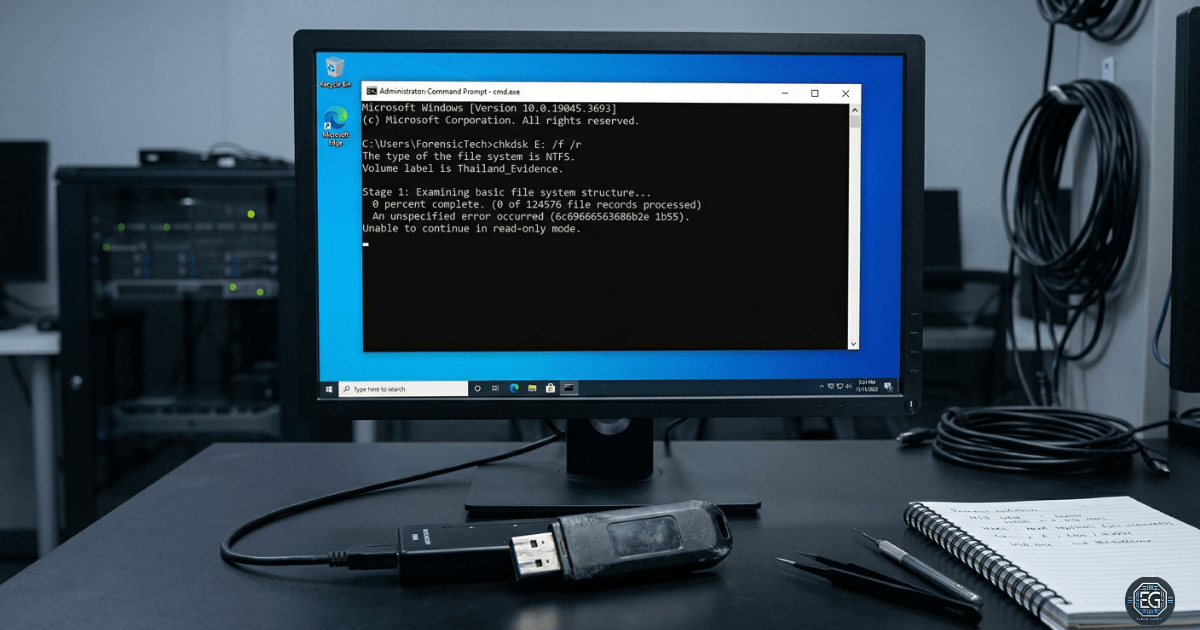
This report documents the investigation of a USB storage failure found during a disk validation test. The goal was to find the root cause of repeated CHKDSK failures (error code 6e7466) and system unresponsiveness. The investigation focused on determining whether the issue was caused by a software problem or a hardware failure.
The results confirmed a physical hardware failure. Testing showed a full I/O lock condition that could not be controlled by the operating system. The device was removed from use and recommended for physical destruction to prevent possible data recovery.
1.0 USB Storage Failure Analysis
1.1 Project Description
The goal of this task was to test a USB storage device and confirm whether it was safe and reliable to use.
The process used a step-by-step isolation method to:
- Test the device across different environments (Virtual Machine and Physical Host)
- Check hardware integrity using full disk operations, including full format
- Document how the device behaved when standard repair tools failed
This approach helps identify hardware failures early and prevents wasted time troubleshooting software that is not the cause.
1.2 Technical Task / Troubleshooting Process
The process focused on identifying the failure point after logical repair attempts became unresponsive.
Key Actions and Observations
-
Initial Symptom Identification:
CHKDSKreturned an error (6e7466), and the device was unstable during file operations. -
Environmental Isolation: The device was tested on the physical host system to rule out virtualization issues. The same failure occurred.
-
Low-Level Validation: A full format (non-quick) was started to test all disk sectors.
-
Operational Observation: The format and
CHKDSKprocesses became unresponsive. The system only recovered after the USB device was physically removed. This indicates a hardware-level failure.
Root Cause:
The device experienced a hardware-level I/O failure, likely caused by internal controller or memory degradation. This prevented the operating system from completing disk operations and caused the device to become unresponsive.
1.3 Resolution and Validation
The investigation ended with the device being removed from use after confirming hardware failure.
| Parameter | Configuration Value |
|---|---|
| Management Tool | diskpart / Format / Event Viewer |
| Device State | Hardware Failure |
| Failure Mode | I/O Lock / Device Unresponsive |
| Scope | External Removable Media |
Validation Steps
-
Cross-Environment Test: The failure was confirmed on both Windows 11 (host) and Windows 10 (guest).
-
Full Format Failure: The device failed during full disk validation, confirming it could not read or write sectors correctly.
-
System Recovery Test: The system only returned to normal after the USB device was physically removed, proving the device caused the system hang.
2.0: Conclusion
2.1 Key Takeaways
- Not all storage issues can be fixed with software tools
- Full format is required to properly test disk health
- Hardware failures can look like software issues
- Testing across VM and host systems helps find the real cause
- Structured troubleshooting saves time and avoids misdiagnosis
2.2 Security Implications & Recommendations
Risk: Data Loss due to Silent Failure
USB devices can fail without warning, leading to data loss or corruption.
Mitigation:
- Perform regular disk checks using CHKDSK or similar tools
- Avoid using USB devices for critical or long-term storage
- Maintain regular backups
Risk: Incomplete Data Sanitization
Because the device failed during formatting, data could not be fully erased.
Mitigation:
- Treat the device as if data is still recoverable
- Physically destroy failed storage devices to prevent data recovery
Best Practices
- Replace any USB device that shows repeated I/O errors
- Use full format to test new or unstable storage devices
- Test hardware outside virtual environments to confirm issues
- Document hardware failures for tracking and auditing
Framework Alignment
- Supports NIST Cybersecurity Framework PR.DS-4 (Capacity and Availability) by ensuring only reliable hardware is used
- Supports ID.AM-1 (Asset Management) by documenting and removing failed devices from inventory