
0.0 Executive Summary
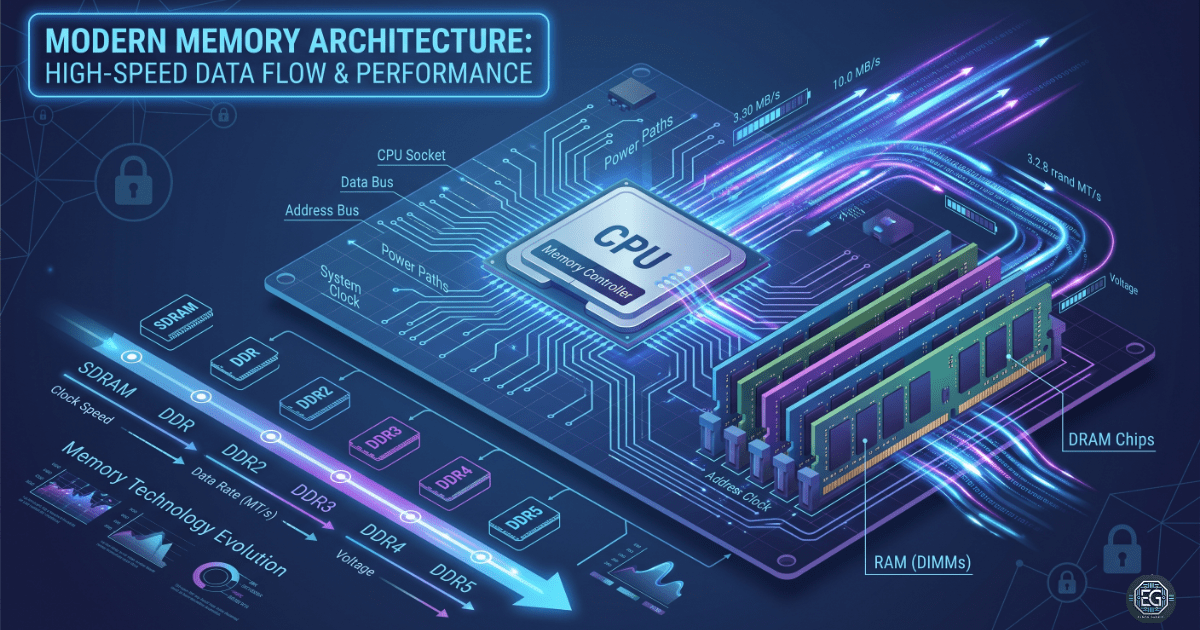
This report explains how system memory works and how RAM technology has improved over time. The goal was to improve the system performance and stability by understanding how the RAM stores and handles data. The report covers how DRAM works and how memory has evolved from SDRAM to modern DDR5.
The result is a clear understanding of how memory affects the speed, stability, and reliability of the data. This knowledge aids in troubleshooting, hardware planning, and system optimization.
1.0 Memory Architecture and RAM Technologies
1.1 Project Description
The goal of this task was to study how system memory works to prevent slow performance and data errors in the system.
This study focused on how data move in RAM to:
- Analyze System Design: Studied how the CPU and RAM communicate using the system clock and memory controller.
- ** Improving System Security:** Identifying the need for ECC memory and compatible hardware to protect data.
- Compare Technologies: Reviewed the differences between SDRAM and DDR generations (DDR1–DDR5).
This helps ensure that the systems use the appropriate balance of speed, size, and power efficiency.
1.2 Technical Task / Troubleshooting Process
This task focused on understanding how the RAM handles temporary data and how to validate its performance.
Key Actions & Observations
RAM Basics RAM is a fast temporary storage used by the CPU for active tasks. This is different from long-term storage, such as HDDs or SSDs.
DRAM Function
- DRAM stores data using tiny electrical charges in capacitors.
- It must be constantly refreshed to prevent data loss.
Technology Changes (SDRAM to DDR)
- SDRAM improves timing by synchronizing with the system clock.
- DDR increases the speed by sending data twice per clock cycle.
Performance Checks
- Newer DDR versions (DDR1–DDR5) provide higher speed, lower power use, and more capacity.
- RAM modules are designed to fit only compatible slots to prevent hardware errors.
Root Cause
System slowdowns and crashes are often caused by incorrect RAM speed, mismatched modules, or insufficient memory. This was addressed by establishing a clear standard for selecting and testing RAM.
1.3 Resolution and Validation
The system memory was validated by checking the correct RAM selection and configuration.
| Parameter | Configuration Value |
|---|---|
| Technology Standard | DDR4 / DDR5 SDRAM |
| Form Factor | DIMM (Desktop) / SO-DIMM (Laptop) |
| Operational Mode | Synchronous |
| Scope | System Performance and Stability |
Validation Steps
- Clock Check: Confirmed RAM runs at the correct speed supported by the motherboard and CPU.
- Compatibility Check: Verified RAM type matches the system’s chipset and CPU requirements.
- Stability Test: Checked system logs to ensure no memory errors or crashes under heavy use.
2.0: CONCLUSION
2.1 Key Takeaways
- System stability depends heavily on the RAM quality and compatibility.
- Using the correct RAM size ensures that the systems can handle workloads efficiently.
- Testing is required to confirm that the system uses the full memory speed.
- Performance depends on both speed (frequency) and timing (latency).
2.2 Security Implications & Recommendations
Risk: Data Corruption
A bad or failing RAM can corrupt data before it is saved.
Mitigation: Use reliable RAM and enable ECC memory in critical systems.
Risk: System Instability
Insufficient RAM causes heavy disk usage, thereby slowing down the system.
Mitigation: Maintain at least 20% free memory for peak usage.
Best Practices
- Restrict BIOS/UEFI access to prevent unsafe memory alterations.
- Monitor logs for memory errors to detect failures early on.
- Dual-channel or quad-channel modes should be enabled for better performance.
- Maintain accurate hardware records for asset tracking (NIST ID.AM-1).
Framework Alignment
- Supports the NIST Cybersecurity Framework for system reliability and availability.
- Aligns with ISO 27001 for hardware reliability.
- Follows general IT best practices for system stability and protection of data.