
0.0 Executive Summary
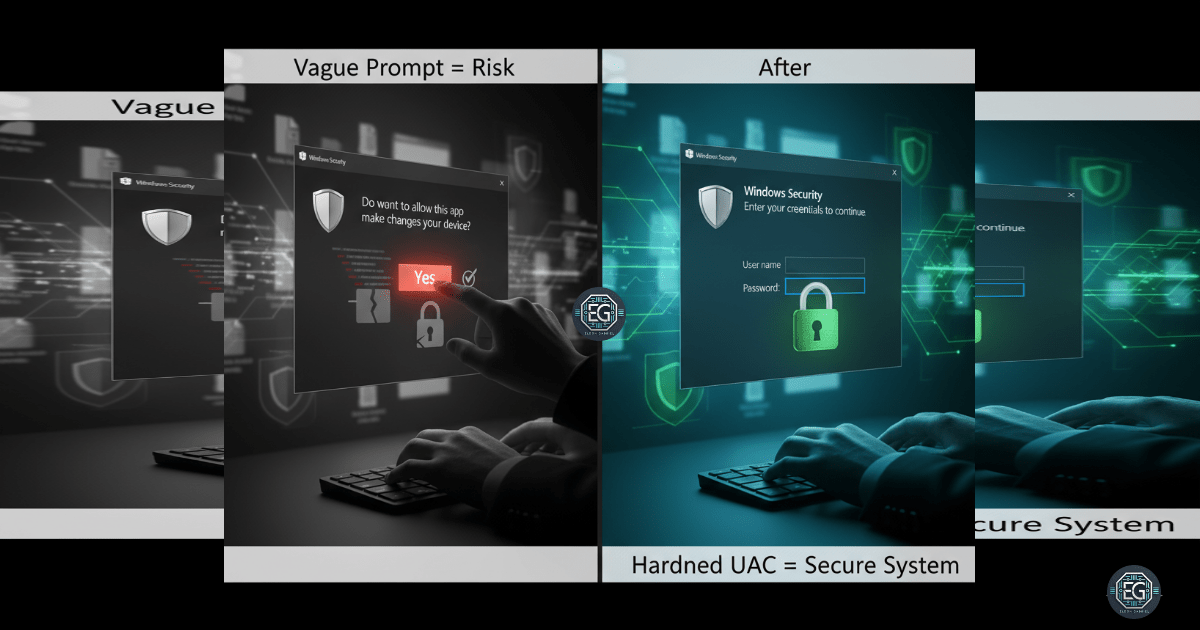
This report documents the hardening of User Account Control (UAC) settings on a Windows 10 workstation to mitigate risks associated with unauthorized privilege escalation and malware installation. The project successfully transitioned the system from simple “Yes/No” prompts to mandatory credential-based authentication on a secure desktop. By enforcing explicit administrative approval for sensitive tasks, the environment achieved a significantly improved security posture, reducing the success rate of spoofing and automated elevation attacks.
1.0 Harden UAC via Local Group Policy
1.1 Project Description
The objective of this project was to harden User Account Control (UAC) settings to prevent unauthorized users or malicious software from gaining administrative privileges without explicit approval. The project aimed to utilize the Local Group Policy Editor to enforce “Admin Approval Mode” and mandate that all elevation requests occur on the secure desktop.
The environment focused on ensuring that administrative actions remain accountable and traceable, establishing a defensive barrier against credential spoofing and silent background installations.
1.2 Technical Task / Troubleshooting Process
The process focused on configuring specific security options within the Local Group Policy hierarchy to manage how the OS handles elevation requests.
Key Actions & Observations
-
Policy Configuration: Modified UAC settings to require credentials for all elevation prompts, replacing the less secure consent-only model.
-
Secure Desktop Enforcement: Enabled the “Switch to the secure desktop when prompting for elevation” setting to isolate the authentication prompt from potentially compromised user-mode processes.
-
Elevation Audit: Verified that “Admin Approval Mode” was active for the built-in Administrator account to ensure consistent policy application across all privileged identities.
-
Path Documentation: Logged the hierarchical policy paths within
gpedit.mscto ensure the hardening process is repeatable in future system deployments.
Root Cause: Default UAC settings often prioritize user convenience with simple prompts that are susceptible to spoofing; this was resolved by mandating credential-based authentication on a protected desktop environment.
1.3 Resolution and Validation
System security was finalized through functional testing of the elevation prompts under the new policy constraints.
| Parameter | Configuration Value |
|---|---|
| Management Tool | gpedit.msc / secpol.msc |
| Prompt Style | Prompt for Credentials |
| Desktop State | Secure Desktop (Enforced) |
| Approval Mode | Enabled |
Validation Steps
-
Trigger Test: Launched applications requiring administrative privileges (e.g., Command Prompt as Admin) to trigger a UAC request.
-
Visual Confirmation: Verified that a credential prompt appeared on the secure desktop, dimming the rest of the screen and preventing interaction with other windows.
-
Compatibility Audit: Confirmed that hardened settings did not interfere with standard applications like Microsoft Edge or Notepad++.
2.0: CONCLUSION
2.1 Key Takeaways
-
Credential Accountability: Hardening UAC ensures that sensitive actions require active credential entry, providing better traceability than simple consent clicks.
-
Spoofing Mitigation: Utilizing the secure desktop for elevation prompts effectively neutralizes most UI-based spoofing and phishing techniques.
-
Policy Consistency: Group Policy remains the most reliable method for enforcing non-bypassable user access controls across Windows endpoints.
2.2 Security Implications & Recommendations
Risk: Unauthorized Privilege Escalation Permissive UAC settings allow malware to potentially piggyback on existing user sessions to gain administrative control.
Mitigation: Enforce mandatory credential-based UAC prompts on the secure desktop to ensure all administrative tasks are explicitly authorized by a human operator.
Risk: Inconsistent Administrative Accountability Simple “Yes/No” prompts do not verify the identity of the person performing the action, increasing the risk of insider misuse.
Mitigation: Combine hardened UAC settings with detailed security logging and monitoring to track and audit all successful and failed elevation attempts for suspicious behavior.