
0.0 Executive Summary
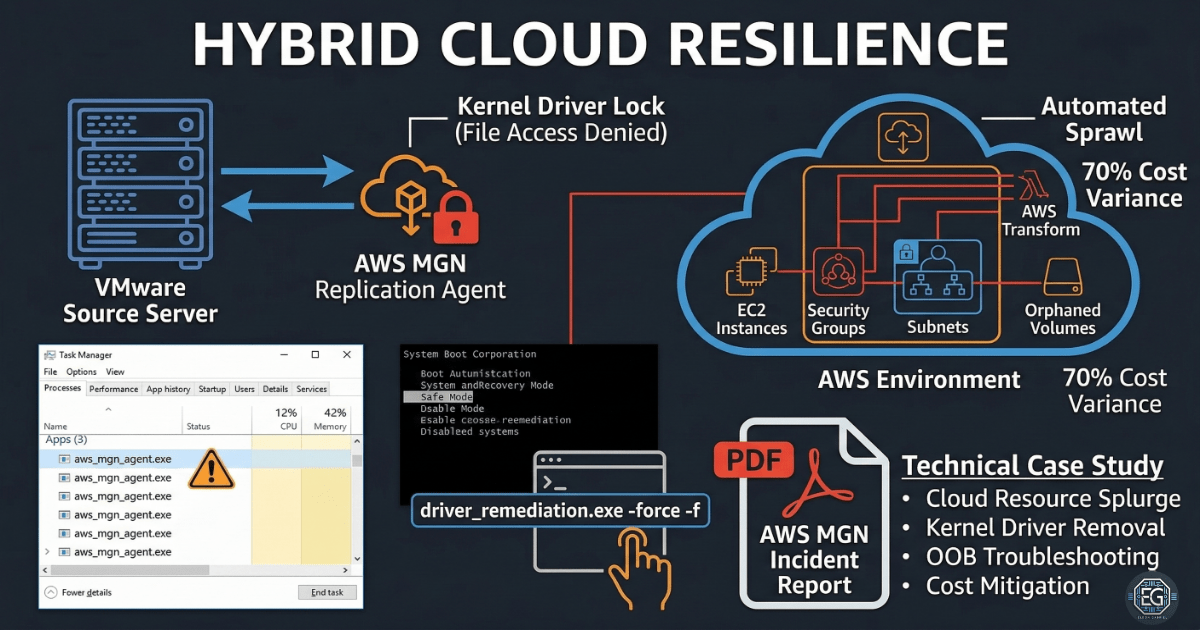
This report documents the migration of an enterprise VMware environment to AWS EC2 using AWS Application Migration Service (MGN). The project involved building a nested virtualization lab, establishing a DNS source of truth, and executing a cloud migration. A critical system failure occurred during post-migration driver removal, which was resolved through firmware realignment and BCD reconstruction. The final outcome was a successful migration with preserved data integrity and optimized cloud resource management.
1.0 Enterprise Hybrid-Cloud Migration
1.1 Project Description
The objective was to migrate a multi-VM architecture from an on-premises VMware vSphere 8.0 environment to AWS. The environment consisted of a Windows Server 2019 Domain Controller (DC01), ESXi hosts, and a vCenter Server Appliance (VCSA). The project aimed to validate cross-platform interoperability, establish automated replication, and manage post-migration cleanup to reduce security risks and cloud costs.
1.2 Technical Task / Troubleshooting Process
The investigation focused on a “Inaccessible Boot Device” Blue Screen of Death (BSOD) that occurred after attempting to manually remove AWS MGN kernel drivers post-migration.
Key Actions & Observations
- Network Setup: Established a NAT Gateway and DNS forward/reverse lookup zones (A and PTR records) to ensure system reachability.
- Migration Execution: Successfully replicated and launched EC2 instances from the VMware source using the AWS MGN agent.
- Failure Identification: Observed a persistent boot loop on the migrated Windows Server (WS01) after driver removal.
- Environment Audit: Identified over 300 unused AWS resources (subnets, security groups, and snapshots) left behind after testing, increasing operational risk.
Root Cause: A firmware and partition mismatch (BIOS/EFI vs. GPT) caused the system to lose its boot path after the migration drivers were stripped from the OS.
1.3 Resolution and Validation
Functionality was restored by realigning the instance’s boot settings and deploying a secondary recovery OS to bypass the corrupted system state.
| Parameter | Configuration Value |
|---|---|
| Migration Tool | AWS Application Migration Service (MGN) |
| Source Platform | VMware vSphere 8.0 |
| Target Platform | AWS EC2 (t3.medium) |
| Boot Mode | UEFI / GPT |
Validation Steps
- Firmware Alignment: Switched the EC2 instance launch settings to match the original GPT partitioning.
- Boot Reconstruction: Utilized a secondary Windows volume to mount the primary disk and rebuild the Boot Configuration Data (BCD).
- Resource Optimization: Executed a full cleanup of orphaned AWS resources to align with FinOps and security best practices.
2.0: CONCLUSION
2.1 Key Takeaways
- DNS Integrity: Reliable name resolution using both forward and reverse zones is mandatory for successful MGN agent communication.
- Post-Migration Cleanup: Migration is not finished at the “boot” stage; unused cloud resources must be audited to prevent security gaps and “bill shock.”
- Platform Translation: Moving between VMware and AWS requires exact alignment between virtual hardware settings and disk partition types.
2.2 Security Implications & Recommendations
Risk: Operational Shadow Data Unused snapshots and staging subnets created during migration increase the attack surface of the cloud environment.
Mitigation: Enforce a strict post-migration cleanup policy to delete all staging resources once cutover is verified.
Risk: System Availability Failure Mismatched boot configurations (BIOS vs. UEFI) can lead to extended downtime during critical migration windows.
Mitigation: Validate the partition style (MBR vs. GPT) of the source machine before configuring AWS launch templates.