
0.0 Executive Summary
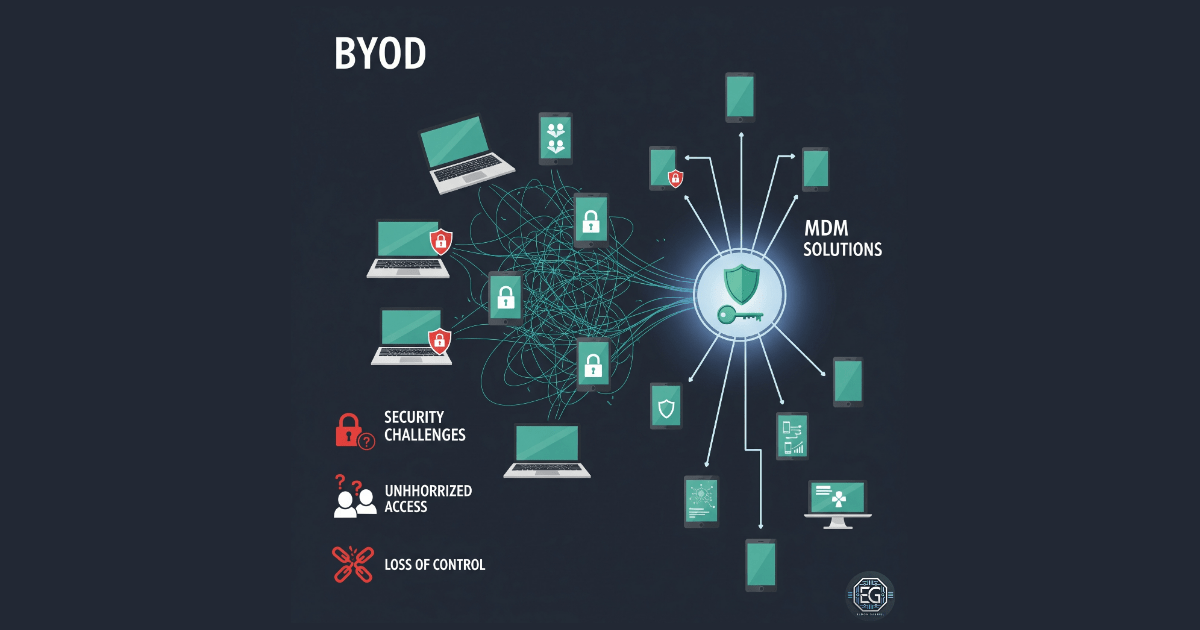
This report explains how security controls were applied to manage Bring Your Own Device (BYOD) environments in an organization.
The goal was to reduce risks such as data leakage, unauthorized access, and malware from personal devices. This was done by applying security policies and management tools.
The final result improved security by replacing open device access with controlled systems using Mobile Device Management (MDM) and strict access rules.
1.0 BYOD in Organizations: Security, Challenges, and Strategies
1.1 Project Description
The goal of this task was to create a secure system for allowing personal devices to access company resources.
This was done through policy design and risk analysis.
The main actions included:
- Requiring device encryption and strong passwords
- Enabling remote wipe for lost or stolen devices
- Separating personal and work data on the same device
- Monitoring device access and enforcing usage policies
These controls help protect company data even when it is accessed from personal devices.
1.2 Technical Task / Troubleshooting Process
The process focused on improving security by controlling how personal devices connect to the network.
Key Actions & Observations
- Reviewed default access settings and identified lack of visibility into device health and security status
Configured the following systems:
- Mobile Device Management (MDM) and Mobile Application Management (MAM)
- Network Access Control (NAC)
Applied security controls by:
- Requiring Multi-Factor Authentication (MFA)
- Using certificates for device validation
- Placing BYOD devices in restricted VLANs
Verified supporting components:
- VPN for secure connections
-
Endpoint protection for threat detection
- Documented all configurations for different device types (iOS, Android, Windows)
Root Cause:
By default, personal devices are often trusted once they connect to the network. This can allow insecure or infected devices to access company data. The issue was fixed by enforcing checks on device security before allowing access.
1.3 Resolution and Validation
The BYOD setup was tested to confirm that security policies were working correctly.
| Parameter | Configuration Value |
|---|---|
| Management Tool | MDM / MAM Solutions |
| Control State | Enforced |
| Security Mode | Managed Profiles / Data Separation |
| Scope | Personal Devices (Mobile and Laptop) |
Validation Steps
- Attempted to access company email from an unmanaged device
- Verified that access was blocked until the device met security requirements
- Confirmed that users were prompted to enroll in MDM
- Tested data separation between personal and work environments
- Verified system stability and normal device operation
2.0 CONCLUSION
2.1 Key Takeaways
- Personal devices increase security risk if not managed properly
- MDM and policy controls help enforce consistent security
- Device checks are required before granting access
- Data separation protects company information on personal devices
- Proper setup balances security with user convenience
2.2 Security Implications and Recommendations
Risk: Data Loss from Lost Devices
Lost or stolen devices can expose company data.
Mitigation:
Require encryption and enable remote wipe for all BYOD devices.
Risk: Malware from Personal Devices
Infected devices can spread malware through the network.
Mitigation:
Use NAC to check device health before allowing access.
Best Practices
- Limit BYOD access to only required applications
- Keep an updated list of all connected devices
- Review policies after system or device updates
- Clearly document rules and user responsibilities
Framework Alignment
- Supports NIST guidance for mobile device security (SP 800-124)
- Aligns with ISO 27001 requirements for mobile and remote work security
- Supports the NIST Cybersecurity Framework (Protect function) by securing access to company data on personal devices