
0.0 Executive Summary
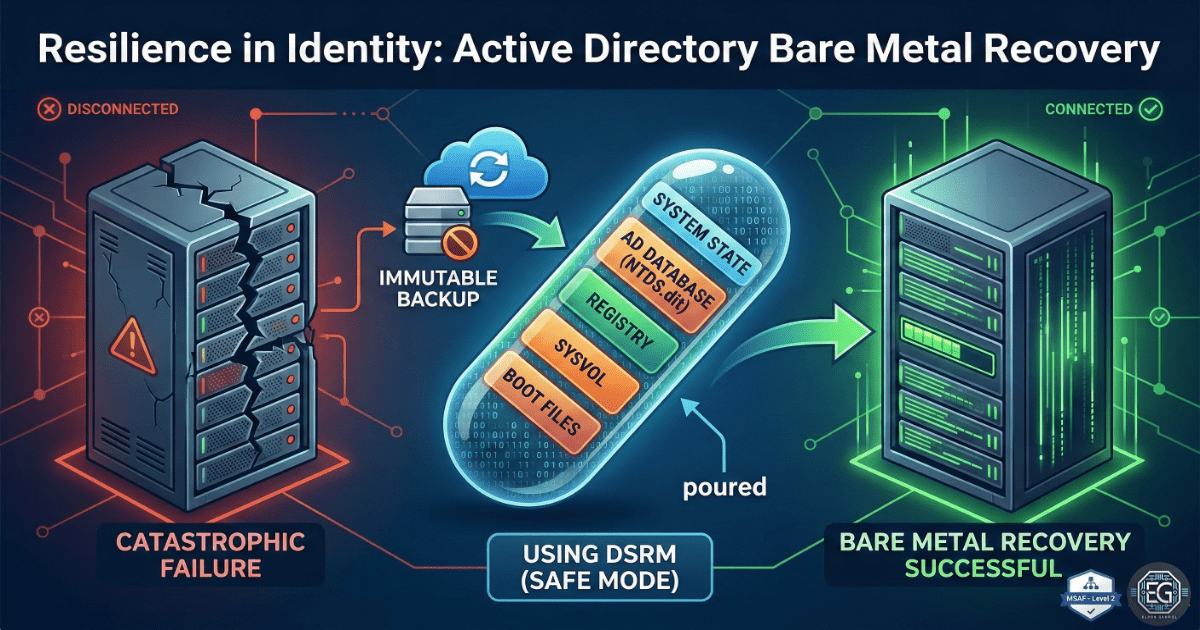
This report documents the successful bare-metal recovery (BMR) of an Active Directory environment. Following a simulated total system failure, domain services and identity consistency were restored to a new Windows Server 2016 instance. The project validated the effectiveness of System State backups and Directory Service Restore Mode (DSRM) in recovering 100 user accounts and 50 security groups while maintaining environment integrity.
1.0 AD Disaster Recovery & Identity Restoration
1.1 Project Description
The objective was to perform a full recovery of an Active Directory domain onto new hardware. This involved capturing a valid System State backup from a production Domain Controller and executing a restoration process in a controlled VirtualBox environment to ensure zero data loss and service continuity.
1.2 Technical Task / Troubleshooting Process
The recovery process focused on restoring the NTDS database, SYSVOL, and registry components to a clean server install.
Key Actions & Observations
- DSRM Initialization: Booted the target server into Directory Service Restore Mode (DSRM) to allow for a safe overwrite of the Active Directory database.
- System State Restoration: Utilized Windows Server Backup to perform a non-authoritative restore of the system state.
- Service Analysis: Observed that despite a successful data restore, the Netlogon service failed to initialize, preventing client authentication.
- Connectivity Audit: Noticed that DNS settings had reverted to default, causing a break in local name resolution for the domain.
Root Cause: The restoration process left the SYSVOL folder in an “unready” state in the registry, and the network adapter required manual realignment to the restored DNS schema.
1.3 Resolution and Validation
Functionality was restored by forcing the SYSVOL initialization and correcting the network stack configuration.
| Parameter | Configuration Value |
|---|---|
| Restore Type | Non-Authoritative System State Restore |
| Recovery Tool | Windows Server Backup (wbadmin) |
| Target OS | Windows Server 2016 |
Validation Steps
- Registry Modification: Set the
SysvolReadyflag to1to trigger Netlogon service availability. - DNS Correction: Reconfigured the IPv4 loopback address to ensure proper AD integrated DNS resolution.
- Health Check: Verified domain health using
dcdiag /vand checked replication status viarepadmin /replsummary.
2.0: CONCLUSION
2.1 Key Takeaways
- DSRM is Critical: Successful AD restoration is impossible without a properly configured DSRM password and environment.
- Verification vs. Restoration: A “successful” backup restoration does not equate to a “functional” service; manual verification of Netlogon and DNS is mandatory.
- Tool Proficiency: Mastery of
dcdiagandrepadminis essential for confirming the post-recovery health of a forest.
2.2 Security Implications & Recommendations
Risk: Privilege Drift and Unauthorized Access During recovery, there is a risk that restored permissions or group memberships may be outdated or incorrect.
Mitigation: Perform a full audit of “Domain Admins” and other privileged groups immediately following an identity restoration.
Risk: Ransomware Re-infection Restoring from a backup that contains the initial entry point of an attacker can lead to an immediate re-compromise.
Mitigation: Maintain offline, immutable backups and scan System State files for indicators of compromise (IoCs) before restoration.