
0.0 Executive Summary
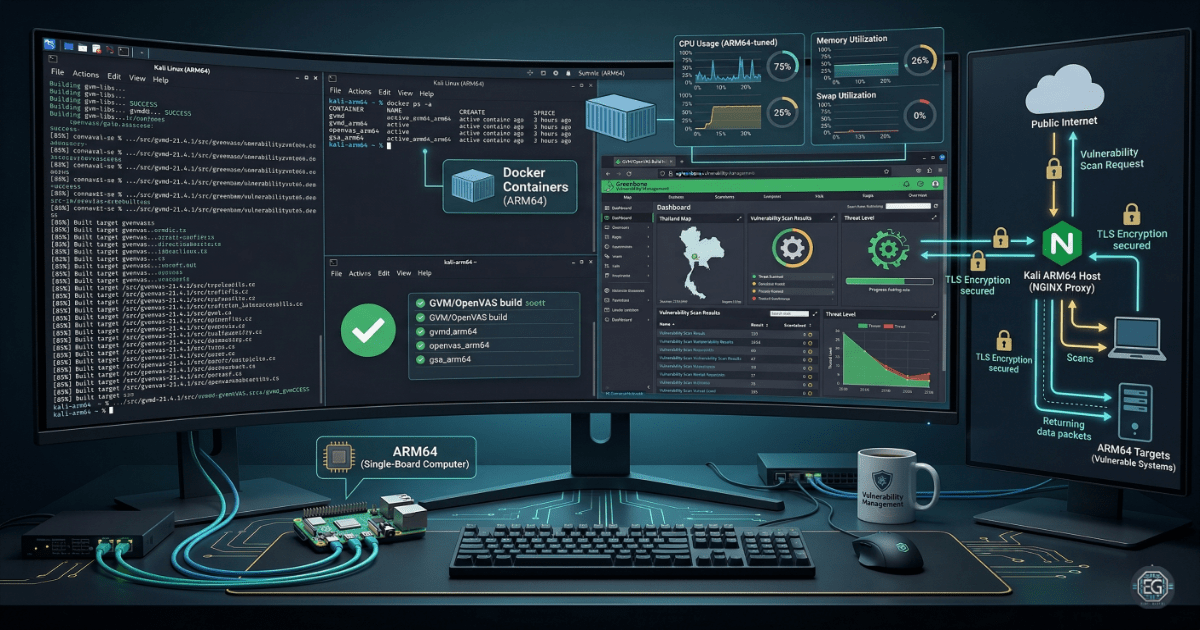
This report covers the setup and hardening of Greenbone Vulnerability Management (GVM) on an ARM64 Kali Linux system. The goal was to reduce the risk of missed vulnerabilities by deploying a stable scanning solution on non-standard hardware.
The result was a stronger security setup by replacing unstable pre-built images with a controlled, source-built configuration. This allowed reliable vulnerability scanning on ARM64 systems such as UTM environments and single-board computers.
1.0 Deployment of GVM on ARM64 Kali (UTM)
1.1 Project Description
The goal of this task was to deploy a working GVM instance to prevent visibility gaps in ARM64 lab environments.
The setup used a mix of Docker and manual builds to:
- Enforce secure behavior by fixing architecture-related failures.
- Restrict instability by running services in a controlled container environment.
- Improve visibility by documenting the full build process for GVM components.
This ensures that systems can be scanned for vulnerabilities regardless of hardware limitations.
1.2 Technical Task / Troubleshooting Process
The process focused on fixing issues caused by running x86-based tools on ARM64 systems.
Key Actions & Observations
-
Reviewed system behavior and identified memory crashes and Docker
overlay2issues on ARM64. - Configured the environment to support ARM64:
- Optimized Dockerfiles for compatibility.
- Built core components (
gvm-libs,openvas,gvmd) from source.
- Applied security settings to:
- Enforce resource limits by assigning at least 4GB RAM and enabling swap.
- Reduce exposure by placing GVM behind an NGINX reverse proxy with TLS.
- Verified dependencies:
- Feed synchronization completed successfully.
- Services ran under the correct
_gvmuser.
- Documented all steps for repeatable deployment.
Root Cause: Most GVM images are built for x86 systems, causing failures on ARM64. This was fixed by using source builds and ARM64-compatible configurations.
1.3 Resolution and Validation
The system was secured by confirming stable operation after deployment.
| Parameter | Configuration Value |
|---|---|
| Management Tool | Docker / Source Build |
| Control State | Enforced / Operational |
| Security Mode | TLS Secured Interface |
| Scope | ARM64 Virtual Environment |
Validation Steps
-
Built the GVM environment and monitored for errors during compilation.
-
Confirmed access to the Greenbone web interface after feed sync.
-
Ran a test scan and verified the system remained stable with no crashes.
2.0: CONCLUSION
2.1 Key Takeaways
- Default deployments are not always reliable, especially on non-standard hardware.
- Source builds provide better control and stability when pre-built images fail.
- Resource management is critical for large security tools like GVM.
- Proper setup ensures both performance and secure access.
2.2 Security Implications & Recommendations
Risk: Tool Instability on ARM64
Unstable scanners can miss vulnerabilities or fail during assessments.
Mitigation: Use ARM64-compatible builds or compile from source when needed.
Risk: Resource Exhaustion (DoS)
GVM can consume all system memory during feed updates.
Mitigation: Allocate at least 4GB RAM and enable swap to prevent crashes.
Best Practices
- Enforce least privilege by running services under a non-root account (
_gvm). - Use TLS and reverse proxies to secure web interfaces.
- Validate system performance after updates or configuration changes.
- Document all steps for repeatable deployments.
Framework Alignment
- NIST SP 800-115 – Supports secure vulnerability testing practices.
- ISO 27001 (A.12.6.1) – Aligns with vulnerability management requirements.
- NIST CSF (Identify) – Improves visibility of system weaknesses.