
0.0 Executive Summary
This report documents an authorized security hardening project on a Linux system. The goal was to reduce the system attack surface by disabling unnecessary background services. The assessment focused on an Ubuntu Server 24.04 environment.
The system was used to test the service management and secure boot controls. The process involved identifying unused services, shutting them down, and preventing their restart. The results showed that unnecessary services were blocked permanently.
This demonstrates the importance of maintaining server security and optimizing performance.
1.0 System Hardening
1.1 Project Description
The purpose of this task was to develop Linux administration and security hardening skills.
The work included:
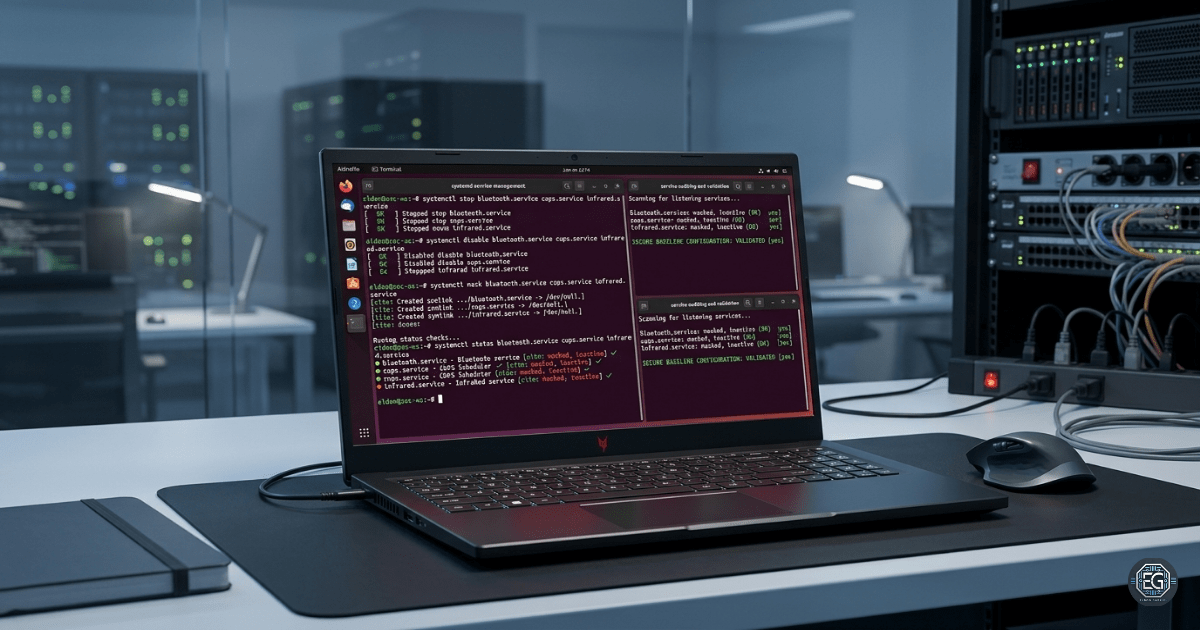
- Checking the system for unnecessary background services
- Stopping active Bluetooth, Printing, and InfraRed services
- Disabling services from starting during the system boot process
- Applying permanent blocks (masking) to prevent accidental service startups
- Validating the security changes after a system reboot
This process reduces security risks by ensuring that servers run only the required software.
1.2 Technical Task / Troubleshooting Process
The assessment focused on reviewing active system processes and locking down unnecessary services.
Key Actions and Observations
- Verified the current status of Bluetooth, Printing, and InfraRed services.
- Active services are stopped to immediately kill background processes.
- Services were disabled to prevent them from starting automatically after a reboot.
- A system mask locks the services, preventing programs from overriding the settings.
- The server was rebooted to apply and test the new secure boot configuration.
- Verified that all targeted services were completely inactive and were blocked.
Security Consideration: Disabling a service alone may not prevent dependent applications or administrative actions from restarting. Service masking was implemented to ensure that the services remained unavailable under all conditions.
1.3 Resolution and Validation
The system was tested to confirm that unnecessary services could no longer run or be started.
| Parameter | Configuration Value |
|---|---|
| Assessment Tool | System Management Controls |
| Target Assets | Background System Services |
| Assessment Type | Security Hardening |
| Operating System | Ubuntu Server 24.04 |
| Disabled Services | Bluetooth, Printing, InfraRed |
| File Protection | Permanent Service Masking |
Validation Steps
- The targeted services were inactive and masked.
- The system was rebooted without starting the disabled services.
- Tested manual startup commands and confirmed that the system rejected the attempts.
- The services were masked and permanently locked in the system status logs.
2.0 CONCLUSION
2.1 Key Takeaways
- Running fewer services reduces the attack surface and limits the opportunities for system compromise.
- Disabling a service prevents booting, but stopping it immediately kills the processes.
- Masking a service is the most secure method for preventing unauthorized or accidental startups.
- Removing unnecessary services frees up system memory and processing power.
2.2 Security Implications and Recommendations
Risk: Unnecessary Active Services
Unused services expand the attack surface, waste resources, and aid in vulnerability exploitation.
Recommendation: Establish a secure baseline by permanently disabling services that are not required for server function.
Risk: Incomplete Service Shutdowns
Stopping or disabling a service leaves it vulnerable to awakening by dependent applications.
Recommendation: Always use system masking to lock down unused services and block dependency overrides.
Best Practices
- Regularly audit running services to identify unauthorized changes.
- Stop active processes before applying the boot restrictions.
- Test service configurations by rebooting the system to ensure that the changes persist.
- Apply the principle of least privilege to the system software and daemons.
Framework Alignment
- Supports the NIST SP 800-53 configuration management and system hardening requirements.
- Aligns with CIS Benchmarks by removing unnecessary services and reducing attack surface exposure.
- Supports industry-standard security hardening and baseline configuration.