
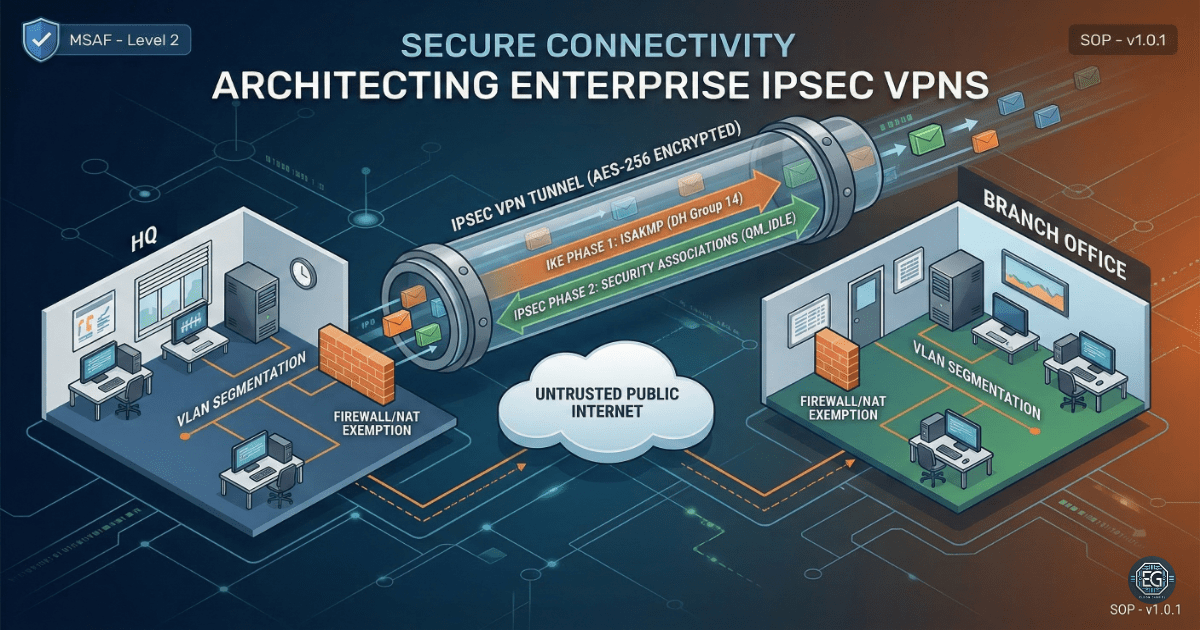

Secure Connectivity: Architecting Enterprise IPsec VPNs
In modern networks, data does not remain in one place. As companies grow, they must protect data as it travels across the Internet. This project focused on building and testing a secure “tunnel” between two office locations to keep data private and encrypted.
What I Studied
This exercise covered the full setup of a secure connection between a Headquarters (HQ) and a Branch Office (BO) in a simulated environment.
- Module: MSAF – System Administration Fundamentals (Level 2)
- Tools & Techniques: Cisco Packet Tracer (CPT) v8.2.2, Cisco IOS Command Line Interface (CLI), Internet Protocol Security (IPsec), Internet Key Exchange (IKEv1/v2), Network Address Translation (NAT) Exemption, and Access Control Lists (ACLs)
- Core Concepts: Used strong encryption methods like Diffie-Hellman Group 14 and applied layered security to protect the network
What I Learned
-
How Secure Tunnels Are Built: I learned how VPNs are created in two steps. First, a secure connection is established between devices (Phase 1). Then, a secure tunnel is created to protect data (Phase 2).
-
Fixing NAT Issues: I learned that NAT can break VPN traffic if it is not configured correctly. NAT Exemption is required so encrypted traffic is not changed before reaching its destination.
-
Using CLI for Validation: I learned that graphical tools can be misleading. By using CLI commands and checking Security Associations (SAs), I confirmed that the VPN was working correctly.
Why It Matters
If a company sends data between offices without encryption, it can be intercepted. This can lead to data leaks or attacks.
An IPsec VPN protects this data by creating a secure tunnel over the public internet. Even though the internet is open, the data inside the tunnel stays private. This helps protect sensitive information and meet security requirements.
How It Maps to the Job / Framework
NIST NICE Framework – Network Specialist (SP-NET-001): Builds skills in setting up, testing, and troubleshooting network systems.
ASD Cyber Skills Framework – System Administration (SADM): Shows the ability to secure networks and protect data during transmission.
Key Takeaways
-
Use the CLI for Accuracy: Always use commands like
show crypto isakmp sato confirm the VPN is active. -
Use Strong Encryption: Diffie-Hellman Group 14 provides strong protection against modern attacks.
-
Check NAT First: Many VPN issues are caused by NAT. Always confirm NAT Exemption is configured correctly.
-
Always Verify Traffic: A connection may look active, but that does not mean data is secure. Use traceroute and packet checks to confirm traffic is using the VPN.
Related Projects
SOP – Secure Enterprise VPN Deployment & Diagnostics – v1.0.0
Technical Skills Demonstrated
- Cisco network configuration (CPT / IOS CLI)
- IPsec VPN configuration and validation
- IKE Phase 1 and Phase 2 setup
- NAT configuration and NAT Exemption
- ACL configuration and traffic filtering
- Network troubleshooting using CLI tools
Conclusion
This project showed how to build and secure a site-to-site VPN using IPsec. It improved my understanding of encryption, network design, and troubleshooting.
It also showed the importance of testing and validating configurations using CLI tools. A working connection is not enough. Security must always be verified.