
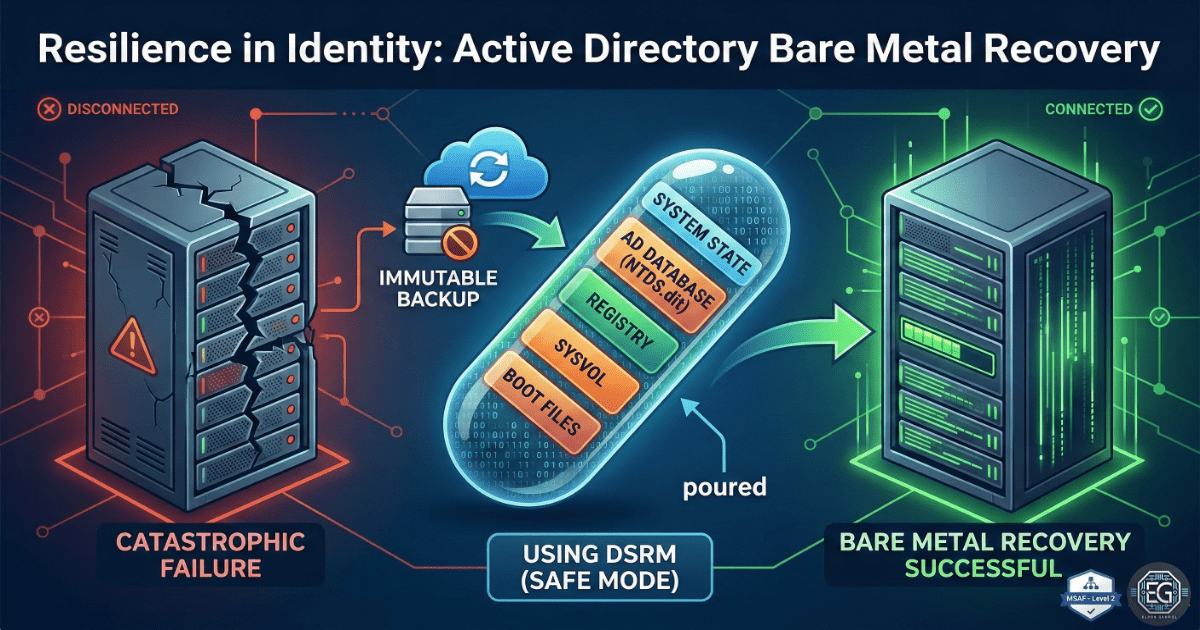

Active Directory Disaster Recovery & Identity Restoration
This project shows how to recover an Active Directory (AD) environment after a full system failure. The system was restored on new hardware using Windows Server 2016.
The goal was to recover all system data, including user accounts and domain services, so business operations could continue.
What I Studied
This project focused on testing a full disaster recovery process for a Domain Controller (DC). It included creating a backup, simulating a failure, and restoring the system using Directory Services Restore Mode (DSRM).
The main focus was to ensure that Active Directory data and the SYSVOL folder were restored correctly and ready for use.
What I Learned
Full System Recovery with BMR
I used Bare Metal Recovery (BMR) to restore the entire system, including the operating system and Active Directory.
Using DSRM for Safe Recovery
DSRM was used to restore the system without causing conflicts with other domain controllers.
Restoring Critical Data
The System State was restored to recover important system data such as the registry, system files, and boot settings.
Why It Matters
If a Domain Controller fails, users cannot log in or access systems. A tested recovery plan ensures that services can be restored quickly.
Bare Metal Recovery allows the system to be rebuilt with all data intact, reducing downtime and preventing major disruptions.
How It Maps to the Job / Framework
System Administration Skills
This project builds skills in backup, recovery, and system restoration.
Cybersecurity Practices
It supports disaster recovery planning and protection against threats like ransomware.
Key Takeaways
-
BMR Restores Everything: Bare Metal Recovery restores the full system in one process.
-
DSRM is Required for AD Recovery: It allows safe recovery without interference from running services.
-
Always Verify the System: Check that DNS, Netlogon, and AD services are working after recovery.
-
Test Before You Need It: A recovery plan is only useful if it has been tested.
Related Projects
SOP – AD Disaster Recovery & Identity Restoration – v1.0.2
Technical Skills Demonstrated
- Active Directory backup and recovery
- Windows Server administration (2016)
- Bare Metal Recovery (BMR)
- Directory Services Restore Mode (DSRM)
- System State restoration
- Disaster recovery planning and validation
Conclusion
This project showed how to recover a full Active Directory environment after a system failure. It improved my understanding of disaster recovery and system restoration.
It also showed that recovery is not complete until services are tested and confirmed to be working correctly.